Privacy-safe listing maps
How to show where a listing is without revealing the exact address, with one image URL.
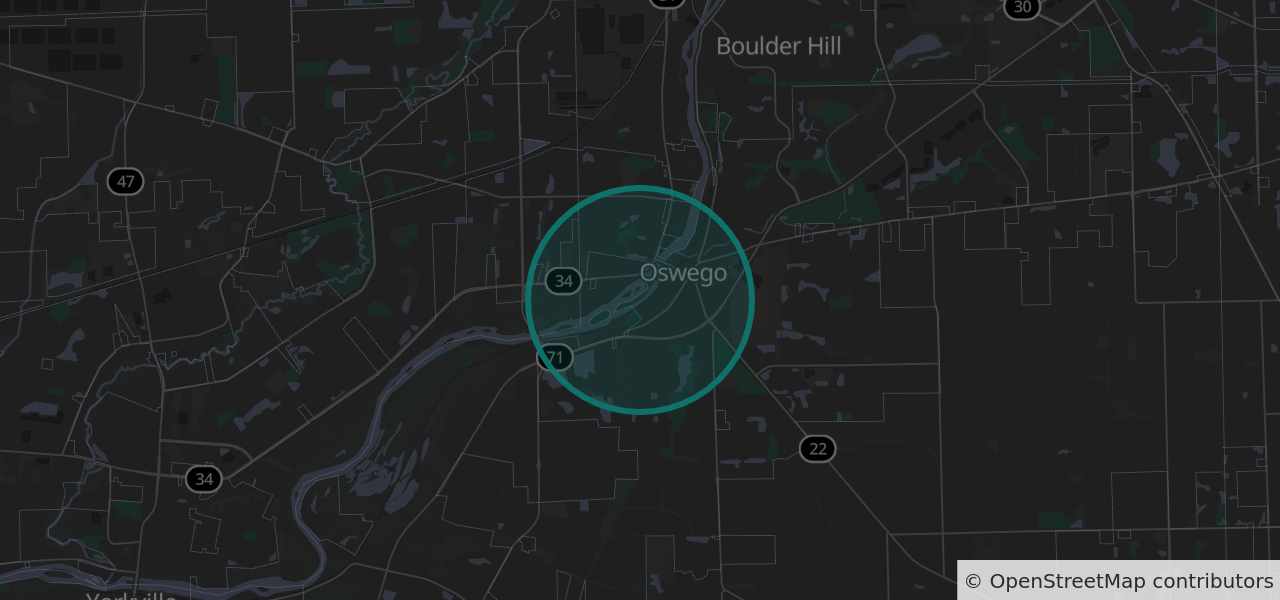
Putting an exact pin on a rental, a private sale or a marketplace meetup tells everyone where someone lives. Most sites either drop the map, which hurts conversion, or blur it by hand. MapIron's privacy area mode does it in the image itself.
How it works
- You send the coordinates as
area=lat,lng, rounded to the grid on your server first (below). - We snap them to a grid (about 1 km by default) and draw a circle around the grid point.
- The circle is enlarged when needed so it always contains the real location.
- No pin is drawn, and the real coordinates never appear in the image.
Because every address in a cell produces the identical image, nobody can work out the address by comparing several maps of the same listing.
Add it to a listing page
<img src="https://api.mapiron.com/v1/static?area=41.68,-88.35&radius=800&size=640x300&scale=2&key=YOUR_KEY"
     width="640" height="300" alt="Approximate location of the listing">
Whatever you put in area is visible to anyone who views the page source, so round the real point to the grid on your server before you build the URL. The image is identical either way; the page then shows only the grid point:
// Use the same value you pass as &snap= (0.01 is the default)
const snap = 0.01;
const lat = (Math.round(realLat / snap) * snap).toFixed(5);
const lng = (Math.round(realLng / snap) * snap).toFixed(5);
const src = "https://api.mapiron.com/v1/static?area=" + lat + "," + lng +
            "&radius=800&size=640x300&scale=2&key=YOUR_KEY";
Or build the URL on your server, fetch the image once and serve your stored copy. On any paid plan you may keep it indefinitely.
Tune it
radius: the circle size in metres, 100 to 25,000. Bigger hides more.snap: the grid in degrees, 0.005 to 0.1. 0.01 is about 1 km; 0.02 about 2 km.color: the circle colour, as hex.
Try it
Type an address on the home page to see the image and the URL that makes it, or get a free key.